
(Back to How to...)
If the Windows + Shift + S combination does not load the app then go to your Windows menu and select it from there.
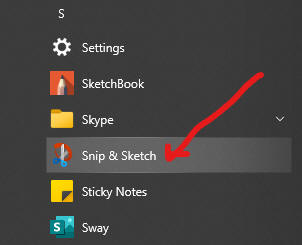
First make sure the Snip and Sketch app is running.
Bring the page you want to screenshot into view.
Switch to Snip and Sketch now.
Press the New menu.
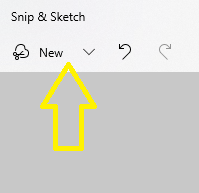
Select the area of the screen you want to copy.
Paste the image where it is needed.
Back to How to...